The Order of Use
Eight steps in order, with the time each one takes. Short on time? Steps 2, 3 and 5 give you a working plan in about an hour.



The Practical Creator Series · eBook
MarketingOriginal price was: $14.99.$9.99Current price is: $9.99.
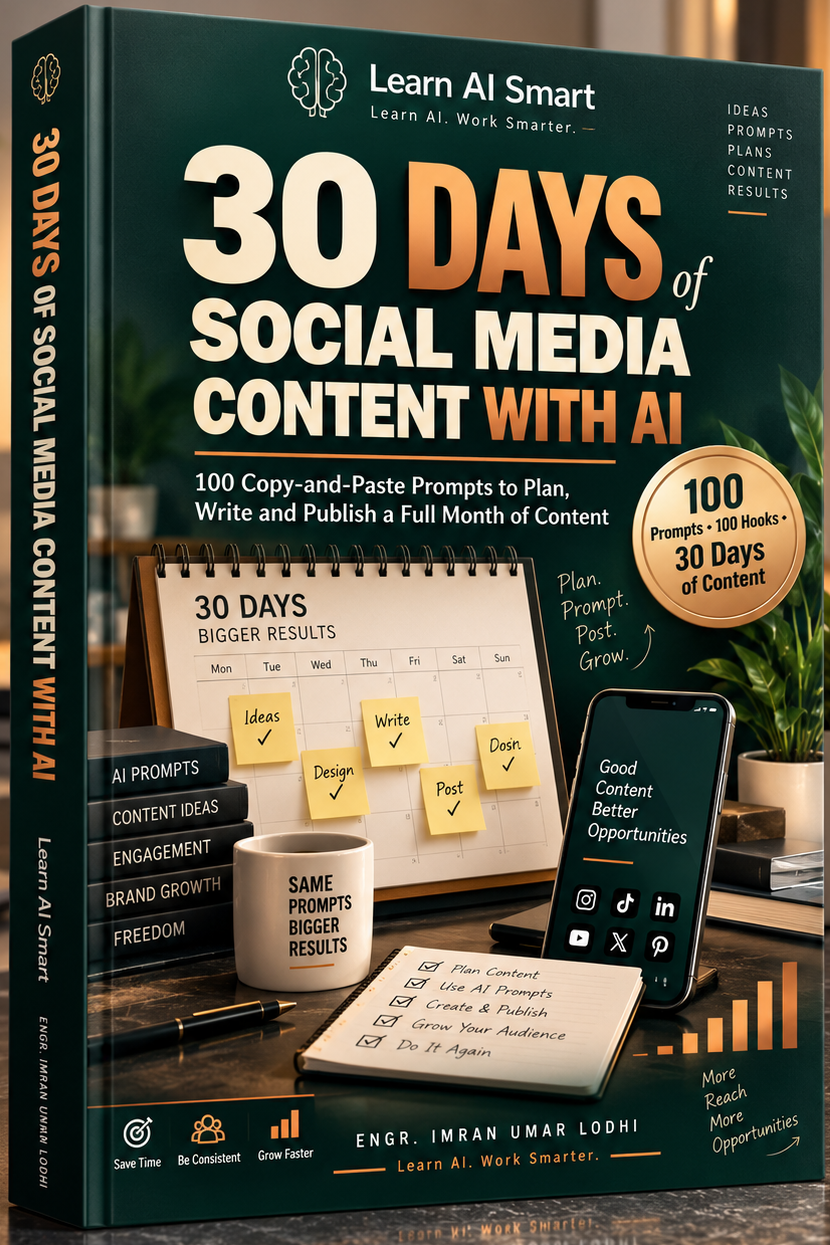
100 Copy-and-Paste Prompts to Plan, Write and Publish a Full Month of Content
A complete 30-day social media system for business owners, coaches and creators. Plan your month in one sitting, then write every post in minutes with AI prompts built for Instagram, TikTok, Facebook, LinkedIn, YouTube and X.
100 Prompts
Copy, fill in, paste
30-Day Calendar
A post planned for every day
100 Hooks
Strong opening lines
9 PDFs + Excel
Guide, worksheets, planner, tracker
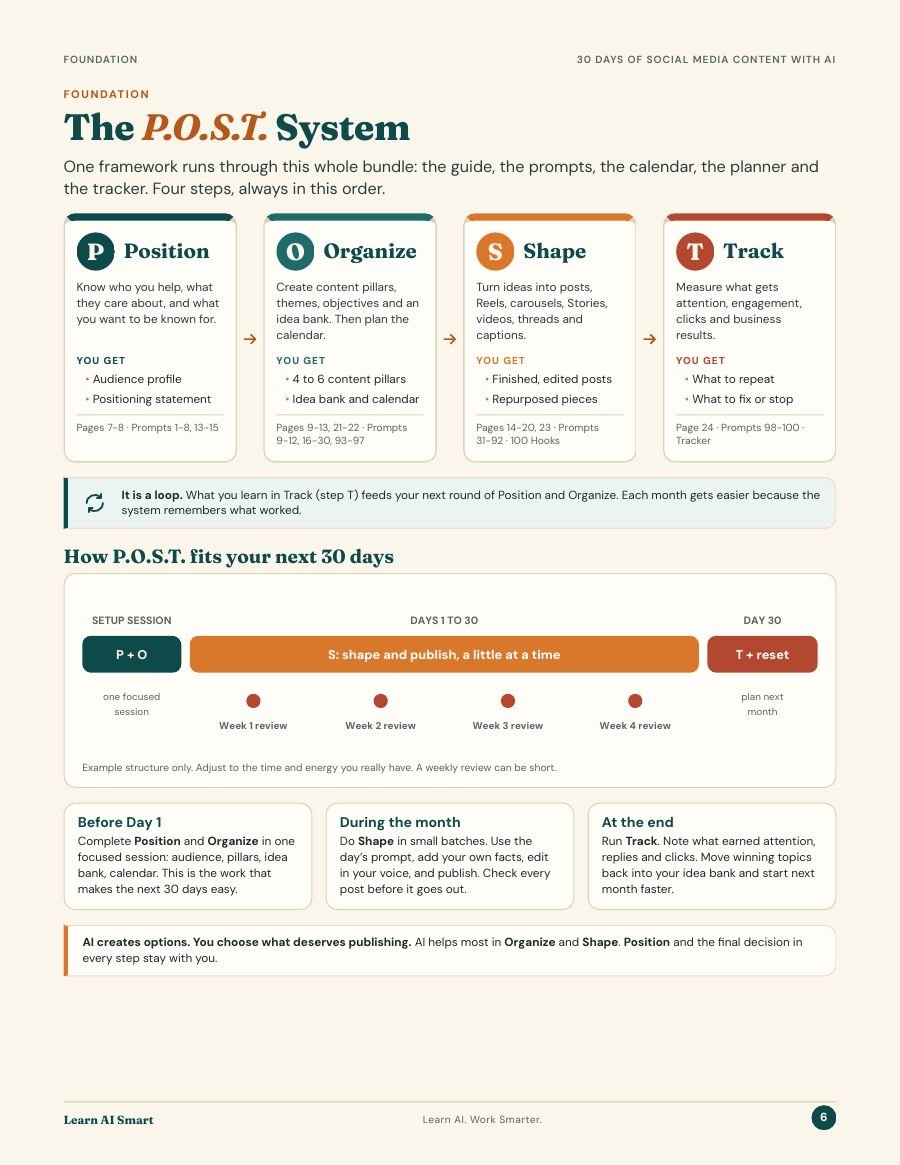
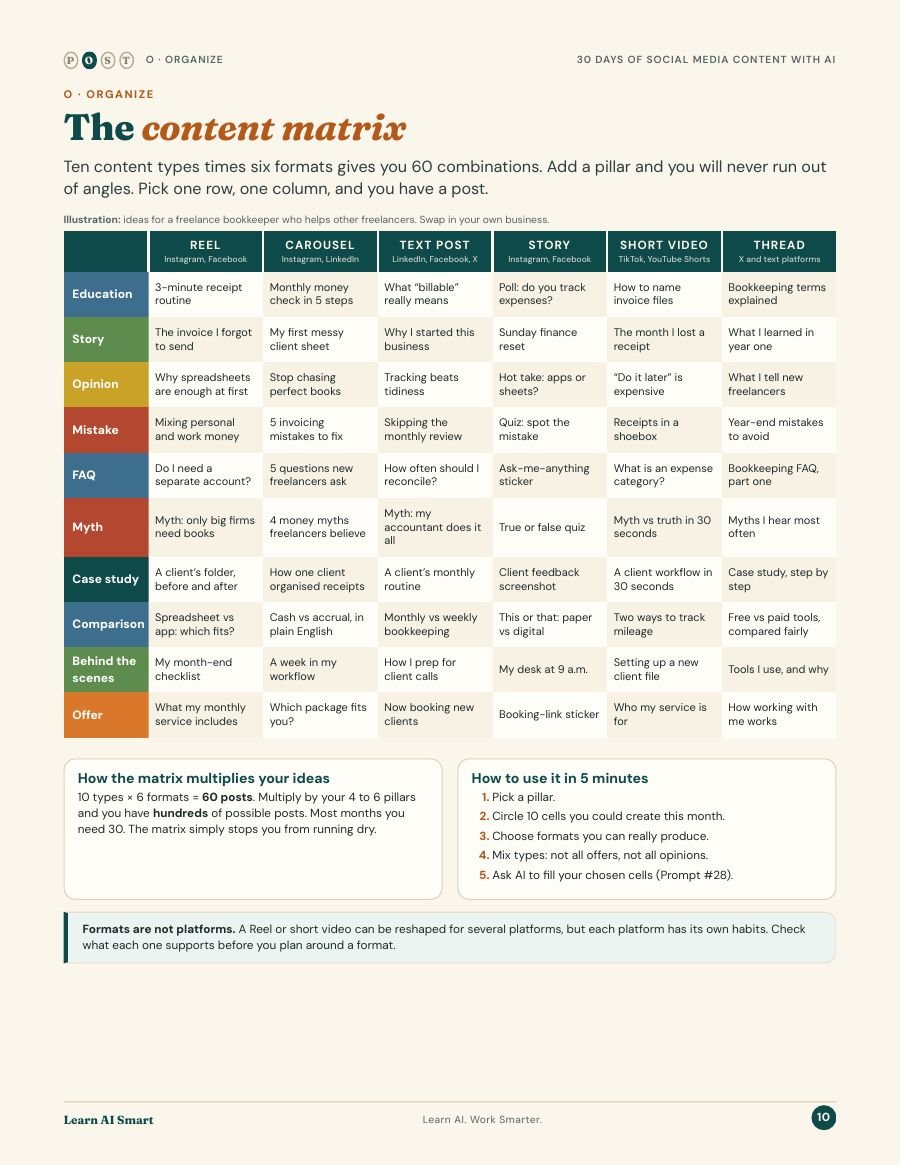
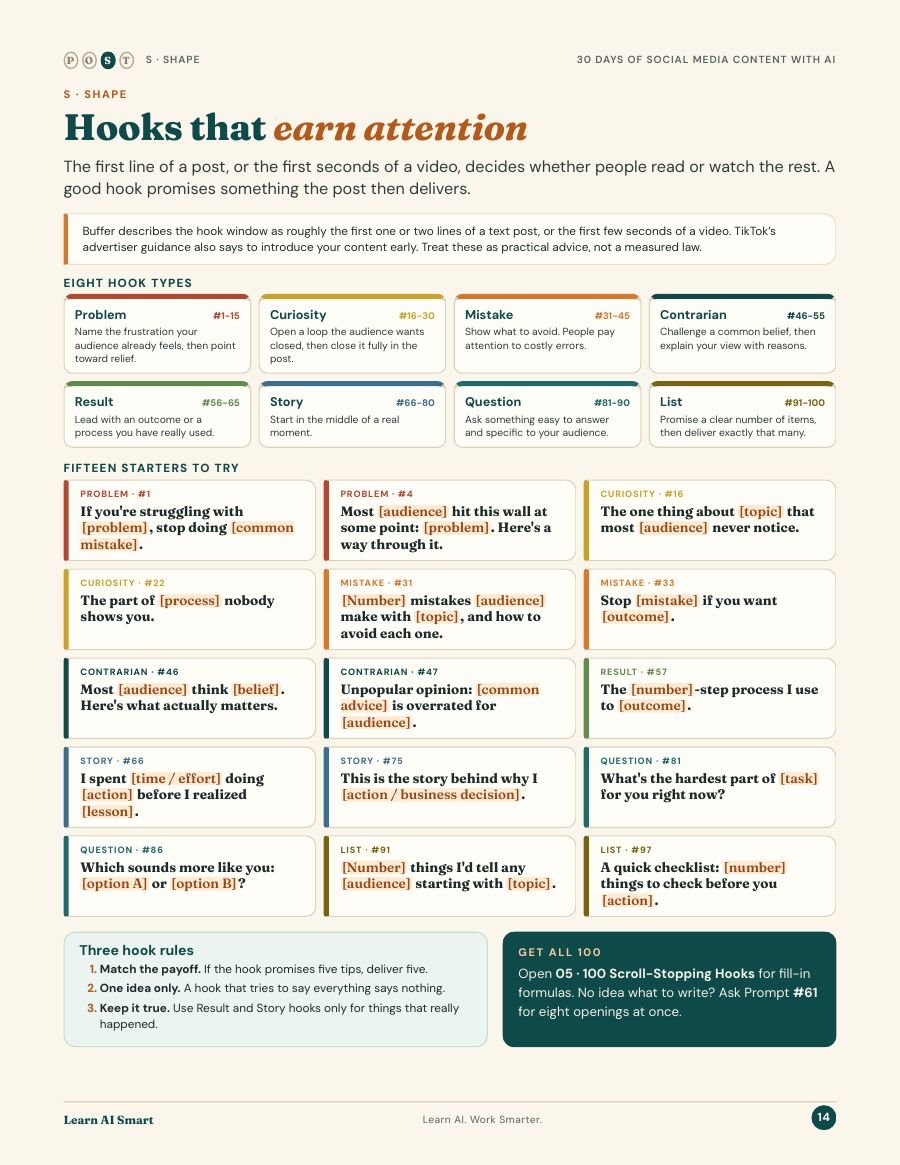
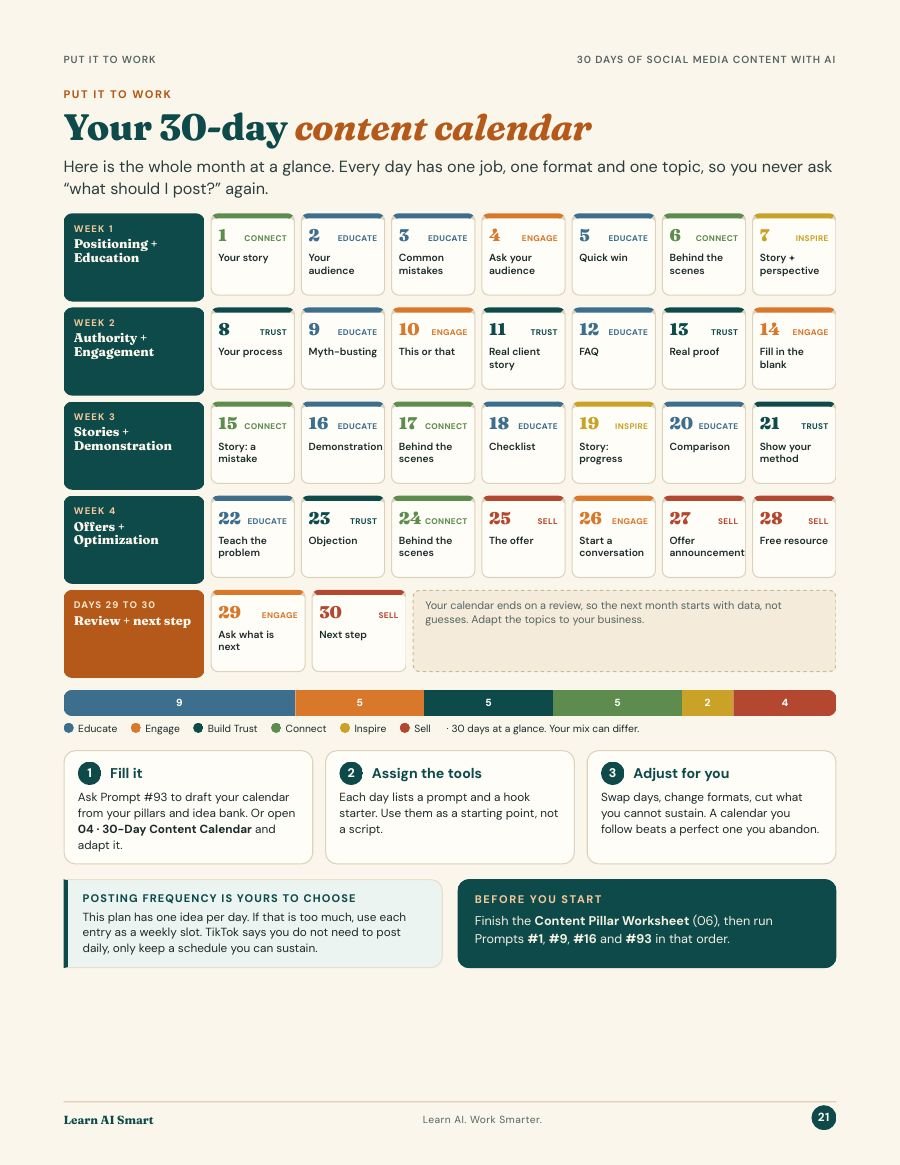
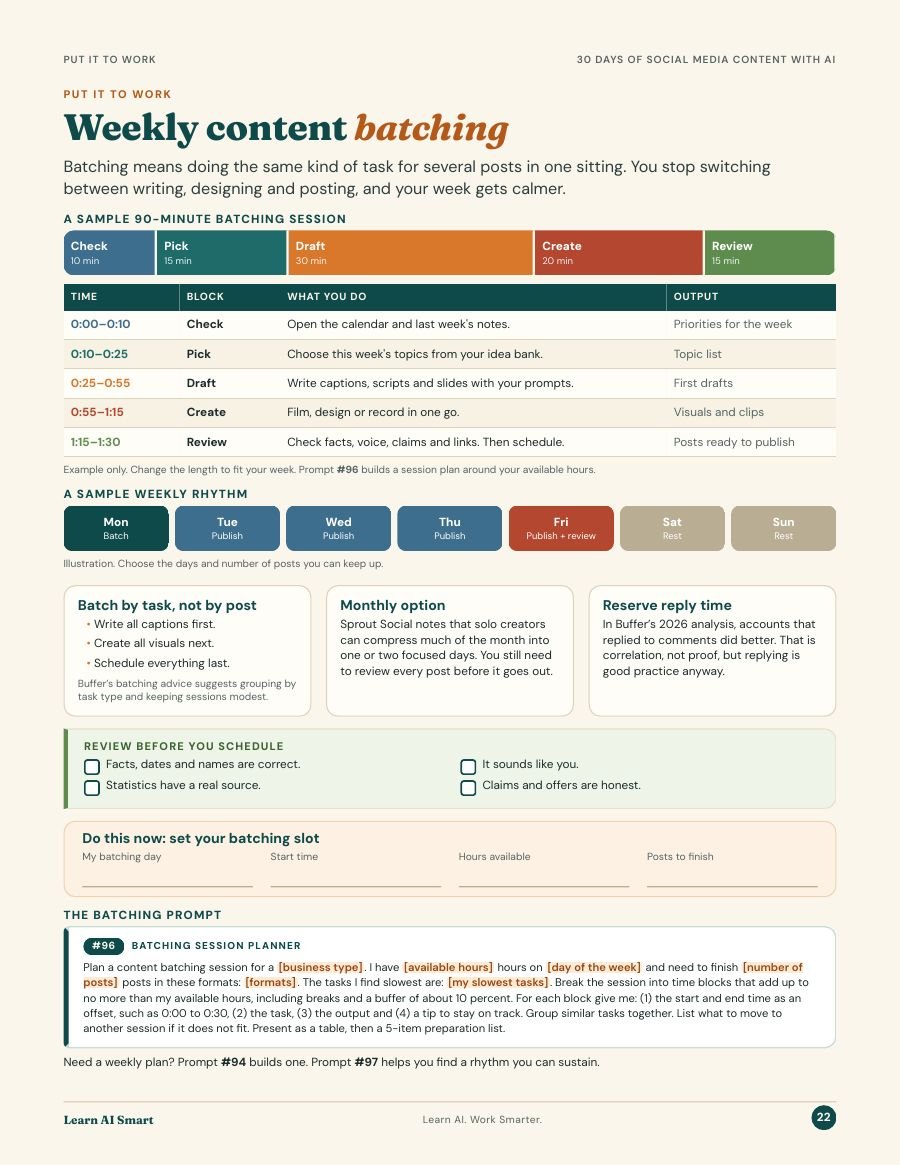
Real pages from the book, not mockups. Tap any page to enlarge it.
Why this bundle exists
Most people don’t quit social media because it is difficult. They quit because every day starts with a blank caption box and the same question: what do I say today? This bundle answers that question for a whole month, before the month starts.
By the end of one setup session you have an audience statement, 4 to 6 content pillars, 30 ideas and a calendar. Then each post takes minutes, not an evening.
Not just a list of prompts. Every file points to the next one, so you always know what to do today.
Eight steps in order, with the time each one takes. Short on time? Steps 2, 3 and 5 give you a working plan in about an hour.
The illustrated guide that explains the P·O·S·T system: how to find your position, build pillars, shape posts for each platform and track what works.
Audience profiles, content pillars, idea banks, captions, Reels and TikTok scripts, carousels, Stories, LinkedIn posts, repurposing and monthly reviews. Each prompt says what it is best for and what to check before you publish.
A topic, format, hook direction, call to action and matching prompt for every single day of the month.
Fill-in-the-blank opening lines in 8 types: curiosity, mistakes, myths, stories, numbers, questions and more. The first line decides whether anyone reads the rest.
Turns what you know into 4 to 6 content pillars and a topic matrix, so you never run out of things to say.
Four weekly planning sheets with a short review at the end of each week. Type straight into the PDF or print it.
One good idea into ten pieces of content: a Reel, a carousel, a Story, a LinkedIn post, an email and more.
A fillable PDF and an Excel spreadsheet to log 30 posts, see what earns attention and plan a better next month.
9 PDFs + Excel tracker · instant download · one-time payment
How it works
Most people start with the prompt. That is why the results feel generic. This system starts with planning, so every prompt already knows who you are talking to and why.
Know who you help, what they care about and what you want to be known for. You finish with an audience profile and a positioning statement that later prompts reuse.
Build 4 to 6 content pillars, fill an idea bank with about 30 ideas, then lay them out on the 30-day calendar.
Turn each idea into a finished post: Reels, carousels, Stories, videos, threads and captions, written for the platform and edited into your own voice.
Measure attention, engagement, clicks and real business results. What you learn feeds next month’s plan, so every month gets easier.
Free preview
Anything in [square brackets] is where your business goes. Fill it in once and the prompt fits you, not everyone.
Prompt 16
Your first big idea bank in one go.
“Act as a social media strategist for a [business type]. My target audience is [target audience]. Their three biggest problems are [problem 1], [problem 2] and [problem 3]. My content pillars are [pillar 1] to [pillar 5]. Generate 30 specific content ideas: six each for educate, build trust, engage, connect and sell…”
…then a working title, core message, best format, call to action and audience problem for each idea, in a table. (abridged)
Prompt 17
The questions your customers already ask are your best posts.
“Act as a content strategist for a [business type]. Below are real questions from my customers, collected from messages, calls or comments: [paste real customer questions here]. Turn them into content ideas for [platform]…”
…grouped by angle, with what you must confirm before answering, and a follow-up post for each. (abridged)
Every prompt includes “Best for”, platforms, and a “Check before you publish” note.
Who it’s for
We would rather you skip it than be disappointed by it.
Questions
A ZIP download with 9 PDFs and 1 Excel file: a Start Here page, a 25-page illustrated guide, 100 copy-and-paste AI prompts, a 30-day content calendar, 100 hook starters, a fillable content pillar worksheet, a fillable weekly planner, a repurposing cheat sheet, and an analytics tracker as a fillable PDF plus an Excel spreadsheet.
No. The prompts work on the free versions of ChatGPT, Claude, Gemini and Copilot. A paid plan mainly gives you higher limits and extra features.
Instagram, TikTok, Facebook, LinkedIn, YouTube and X. The prompts include platform-specific versions for captions, Reels and short video scripts, carousels, Stories and LinkedIn posts.
Not if you use the system as designed. Every prompt asks for your audience, your offer and your brand voice, and tells the AI not to invent facts, names or statistics. You then edit the draft into your own words. The guide shows you how.
Yes. Every prompt has fill-in fields for your business type, audience, offer and platform, so the same prompt works for a bakery, a real estate agent, a fitness coach or a software company.
About two to three hours for the full setup session. If you only have one hour, do the audience statement, the content pillars and the calendar first. After that, each post takes minutes.
Right after payment you get a download link on the confirmation page and by email. The ZIP opens on any computer, and the PDFs also read well on a phone or tablet.
The license covers you and one business. If you manage social media for several clients, email support@learnaismart.com for an agency license.
Email us within 14 days for a full refund. See the Refund Policy for details.
A Practical Guide to Better Campaigns, Stronger Client Relationships, and More Reliable Results
Buy Now
How to Turn Two AI Tools Into a Marketing Agent That Plans, Writes, Films and Ships Your Ads
Buy Now